Microsoft Entra (Azure) - Provision on Demand (Atlassian Cloud):
About:
This document tells you how to do a ‘Provision on demand - Atlassian Cloud'.
How to:
-
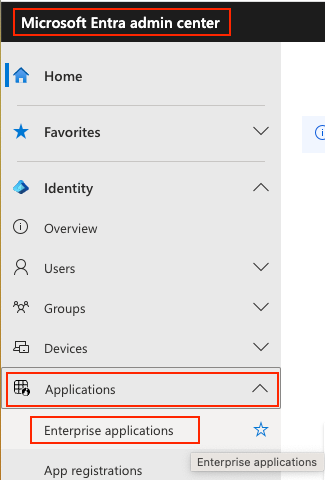
Go to Microsoft Entra (Azure) Admin Center. Find ‘Applications’ and click the ‘Enterprise Applications’.
-
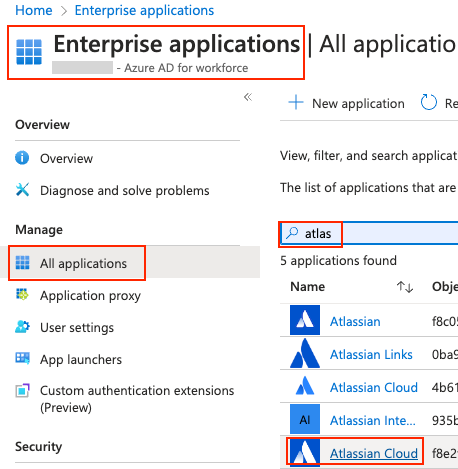
Click ‘All applications’, and search for ‘Atlassian Cloud’. There are two of them. Click the button at the bottom of the list, named 'Atlassian Cloud’.
-
Find the button named ‘Provision on demand’ to the right.

-
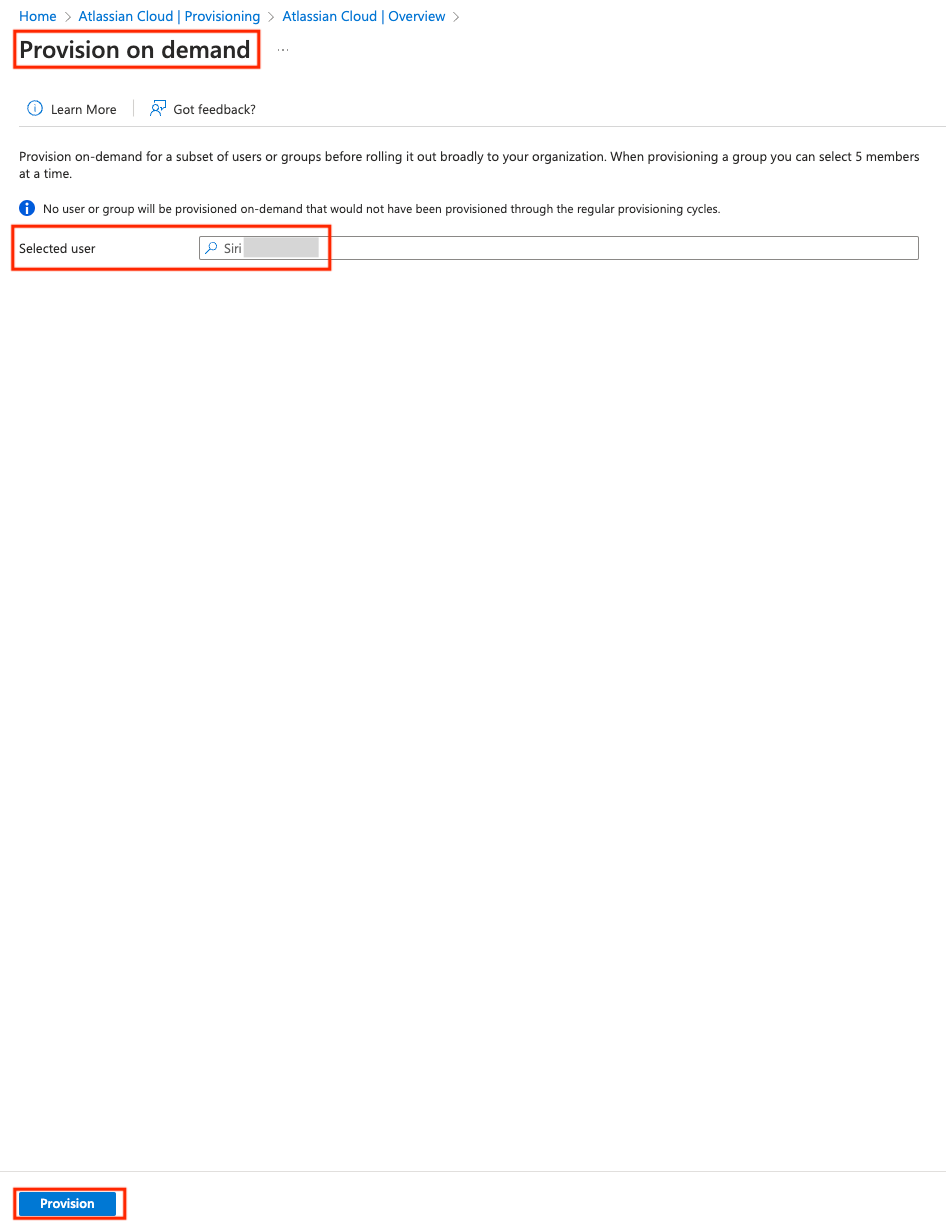
Type in the name of the employee that you want to provision. Click ‘Provision’ at the bottom.
And you are done. 😄